Tuesday, 3 October 2023

HyperX Cloud III Wireless and HyperX Pulsefire Haste 2 Wireless - Did I Mention They're Wireless?

I'm a wireless kind of guy.

Okay, I may have mentioned that once or twice or a thousand times before. I like to charge things wirelessly. I like listening to my home theatre through its wirelessly connected speakers. And above all else, I love a wireless mouse and I absolutely insist on wireless headset wherever possible.

The great news is, thanks to HyperX, not only is that possible, it's preferable.


The HyperX Pulsefire Haste 2 and Cloud III are not new. In HyperX's usual style, both mouse and headset already existed... with a cable. Now once again, both cords have been well and truly cut and if you're anything like me, once you lose the cable, there's no going back.
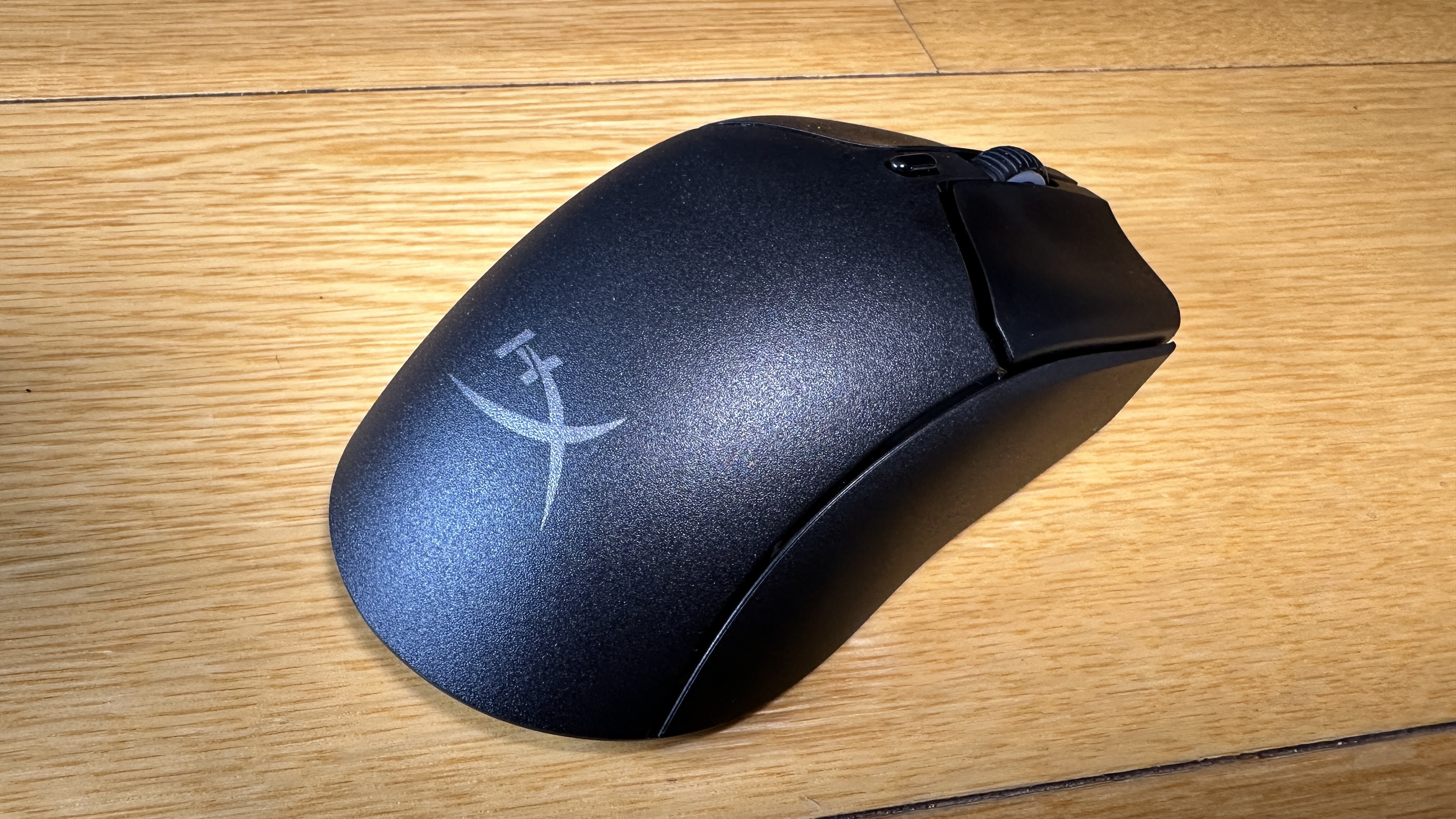

I'll start with the Plusefire Haste 2 Wireless mouse - because I've already reviewed its cabled counterpart. Indeed, it shares several features with other HyperX mice I've come across in the past.

To start with, I can't emphasise enough how light HyperX mice are compared with other options out there. Even without the hexagonally-holed honeycomb design some previous incarnations have proffered, the Pulsefire Haste 2 Wireless weighs in at just 61 grams... so almost nothing.

This, combined with the evenly spaced, friction-free skates on its base makes for effortless - and crucially - speedy movements across your mousepad. As I've also come to expect, there's a spare set of these skates in the box should anything happen to those already pre-installed.

Likewise, there's a set of rubbery grip-tape pads for the sides and main buttons if you're concerned about keeping hold of your mouse during the heat of online battle. I'd be surprised if you need them though, as I've always found the matte finish of a HyperX mouse, in tandem with its slight hourglass shape to be totally secure and comfortable.

The included extras don't stop there. There's a USB-A to USB-C charging cable in the box - a very long cable, braided for maximum ease-of-movement and minimum chance of tangle. You'll get up to 100 hours battery life on a single charge (impressive) but if things do run low, you can keep using the mouse while it's plugged in. 

To that end, you'll find a cunning little USB-C to USB-A adapter in the box too. The idea here is you can plug the 2.4GHz USB-A wireless dongle in one end, the charging cable in the other and should you need to urgently boost your mouse battery you can quickly unplug the adapter and start charging on the go.

The really cool thing about the Pulsefire Haste 2 Wireless is it also connects via Bluetooth. In theory, using the dongle should be more lag-free than using bluetooth. In practice, I haven't been able to detect any difference - which is handy; it means I can pair the same mouse to two different devices, effortlessly switching between them.

Of course, you get all the high-end gaming specs you want from a mouse like this... The precision of a 26,000 DPI sensor. The durability of a set of buttons rated to last up to 100 million clicks. And who could forget the NGENUITY app that lets you customise the RGB light in the scroll wheel and create your own macros for any of the six buttons?

You could be thinking this is the perfect mouse and it definitely comes close. Some users might prefer a few more RGB effects. Not me. I'm no fan of pointless flashing lights. The only thing I would change is so minor, it's hardly worth mentioning. The 2.4GHz dongle is only USB-A, which seems a bit limiting given how many laptops only have USB-C slots these days. 

I wouldn't have brought it up except weirdly, the Cloud III Wireless headset comes with a very tidy little USB-C to USB-A adapter plug for its own dongle, meaning you can use it just as easily in either slot.


Like the mouse, this headset is a cord-free replication of the wired version - with no compromise on the headline features.

When it comes to long gaming sessions, comfort is key for any headset. Not only does the Cloud III's combo of memory foam covered in leatherette feel like pillows on your head and ears, it breathes well too, keeping your noggin cool under pressure.

Your purchase of the Cloud III Wireless activates a lifetime of DTS Spatial Audio on PC to create spookily realistic surround-sound effects and the 53mm drivers have been tuned to bring out the most of any game's soundtrack, effects and dialogue. I actually enjoy just listening to music wearing the Cloud III while I work.

Speaking of dialogue, the flexi mic boom is easily detachable and sports a little red LED on the inner surface of the mic to indicate when it has been muted. This is just bright enough to notice in the bottom-left corner of your field of vision without distracting you from your gameplay.

Mic quality is very clear indeed - perhaps a little toppy for recording a podcast but I'd suggest it's been EQ'd that way to cut across the noise of a battle or race so your teammates can hear your instructions with no mistake.

The on-board controls are few and simple; a volume wheel on the right earcup, with the power and mic-mute buttons on the left. A long press of the mic-mute toggles side-tone on or off (so you can choose to hear your own voice or not) while a short press of the power button prompts a spoken battery percentage update. That's it. And I'd suggest that's all you need.

Again, my only real criticism is a bit of a weird one. The Cloud III Wireless offers an insane 120 hours on a single charge, so it'll be a long time before you need to top up. Like the Plusefire Haste 2, you can keep using the headset while it's plugged in but the problem is the included charging cable is hardly long enough to reach from your head to your desktop, let alone to something useful like a USB charging port. So strange given the cable for the mouse is about three times longer.

My solution? I just use that long cable instead.

Oh, and sorry RGB fans - no silly lights at all on the Cloud III Wireless. Although I must say the red accents on the review model I was sent look brilliant.

Both these HyperX devices deliver in absolutely every area I need them too; durability, performance, comfort and completely off-the-charts battery life.

Above all else; no lag. And my wireless world widens.


Click here for more information on the HyperX Cloud III Wireless gaming headset.


Click here for more information on the HyperX Pulsefire Haste 2 Wireless gaming mouse.

Friday, 29 September 2023

Jabra Elite 8 Active - So Much Tougher Than Me

Of all the earbuds I've tried over the years, Jabra has been the brand to impress me the most consistently.  This is hardly surprising - I don't think I've ever used any Jabra product that has disappointed in terms of sound quality.

But Jabra earbuds always seem to fit better too.

Given how many of these damn things I stick in my ears every year, by now I'm pretty fussy. Yet time and again Jabra comes up with the goods - and this time is no different.

As the name indicates, Jabra's Active line has always been aimed at a pretty demanding segment of the market - these people might be commuters and office workers but they're also exercisers, climbers and shakers. I mean literal shakers - they do things that cause their heads to shake.

This means with the Elite 8 Active buds, Jabra has paid special attention to two important areas; a rock-solid fit and durability in extreme conditions.

As I've already gushed on, all Jabra earbuds seem to fit well - this is mostly due to their unique, almost corkscrew-like form-factor that worms its way into your ear canals both comfortably and securely.


Now Jabra has coated the Elite 8 Actives with its ShakeGrip technology. This means not just the gel tip but the whole earbud is slightly soft to the touch and stays even more firmly in place. It's really quite astounding how impossible these buds are to displace - you certainly can't shake them out.

I've said before, when it comes to premium earbuds like these, things like decent sound quality and respectable battery life should be a given. That means a really good fit can make all the difference. These are the most secure earbuds I've worn yet. So there you go.

Battery life is more than just respectable, by the way. Jabra promises up to 8 hours playback on a single charge and up to 32 when combined with the charging case. That's with ANC on. You might get a whopping 50 hours or more if you turn noise cancelling off. Pretty nuts.

While I haven't tested this in any scientific way, I've been using the Elite 8 Actives for about a week now and I've still only charged them once. I'm more than happy with that. Also happy they charge wirelessly, not just via USB-C.

It almost goes without saying these earbuds sound stellar; they are Jabras after all. But I must say even I was surprised by how much space, depth and dynamic range is created with Spatial Audio activated. Lady Gaga's "Applause" is such a fabulous example of super-clean audio production; it starts sparsely and quickly builds. When the bass kicks in I may have involuntarily muttered, "Oh yeah!" to myself. I didn't hear me, of course - the ANC is far too effective for that.

In fact, I've found the Jabra Elite 8 Actives have completely changed how I think some tracks sound. "This Love" by Maroon 5 has only ever struck me as a pleasant enough, well-produced, middle-of-the-road pop song. But on these earbuds - even with no EQ adjustment - suddenly there's a much more powerful kick to it; a whoomping bass punch that drives things along in a more visceral way, almost as it would sound standing by the speaker stacks at a live show. 

This is not to say I find the soundscape swamped by bass - quite the opposite. The 6mm drivers do a wonderful job of finding space for every instrument at every frequency. Christina Perri's "Human" is a cinematic affair, swinging between quiet vocals to sweeping strings and her trademark big-note belting. Talk about a music appreciation session.

As usual, the Jabra Sound+ app provides all the options and customisations you could hope for - from how you cycle through ANC and HearThrough modes to the way you answer phone calls. 

This all happens via the physical buttons on each bud. I really do think this is still my preferred control method for earbuds; there are never any accidental pushes with actual buttons. The same can't be said with touch-only operations.

Now back to the question of durability... The earbuds boast an IP68 rating against both water and dust while the charging case is IP54. This is still very unusual for earbuds and it means you can literally dunk them in up to 1.5 metres of water and they'll keep on ticking. Dust, dirt and mud have also meant the death of many a bud in the past but not with the Jabra Elite 8 Actives. Rinse them off, wipe them dry, pop them back in and away you go.

But that's not enough to back up Jabra's claim there's "Nothing Tougher." That's what the MIL-STD-810h military standard is for. This testing goes way past a bit of dust and water. We're talking extreme temperatures (both hot and cold), shock, jolt and vibration testing - even altitude.

While I don't often hang upside-down off cliff faces or shoot rapids in a raft or kayak, I do garden. And when I garden I like to listen to podcasts. However, in the past, once the digging's underway and the sweat starts pouring, it's not uncommon to lose a bud out of my ear as I do battle with my shrubs, seedlings and dead trees. This is a real hassle as not only am I usually wearing gloves or have dirty hands, but often the earbud will fall straight into the dirt, meaning a tricky clean-up operation if I want to get back to my podcast.

That simply isn't an issue using the Elite 8 Actives. For starters, they just don't fall out. And even if I somehow managed to knock one out with a stray branch or something (unlikely, given they hardly protrude from my ears at all) I can just run them under the tap and keep plugging away. I know that's hardly an extreme sports situation but still, you understand the benefits.

These earbuds offer all the premium features you'd expect in this price range, perhaps even superior sound and yes, I'm here to confirm they truly are military-grade. Yet again, Jabra impresses.


Click for more information and pricing on the Jabra Elite 8 Active.

Thursday, 28 September 2023

GoPro HERO12 Black - Point. Shoot. Share

Over the last few years, I've come to believe the GoPro is perhaps the best value-for-money piece of tech you can buy.

Every time I use one I'm re-amazed by what it can do - not just in terms of picture quality and video stabilisation but every aspect of the design seems so well thought out - from the legendary durability to the controls - both physical and on-screen - to the mounting system - even the accessories.

Good technology is supposed to make life easier - not more complicated. This simple philosophy is all-to-often overlooked in favour of adding more and more features nobody asked for. Then you have to learn how to use them.

The GoPro isn't like that. Using one always feels instinctual to me - and then there are the host of tricks that happen automatically, without you having to do anything at all.


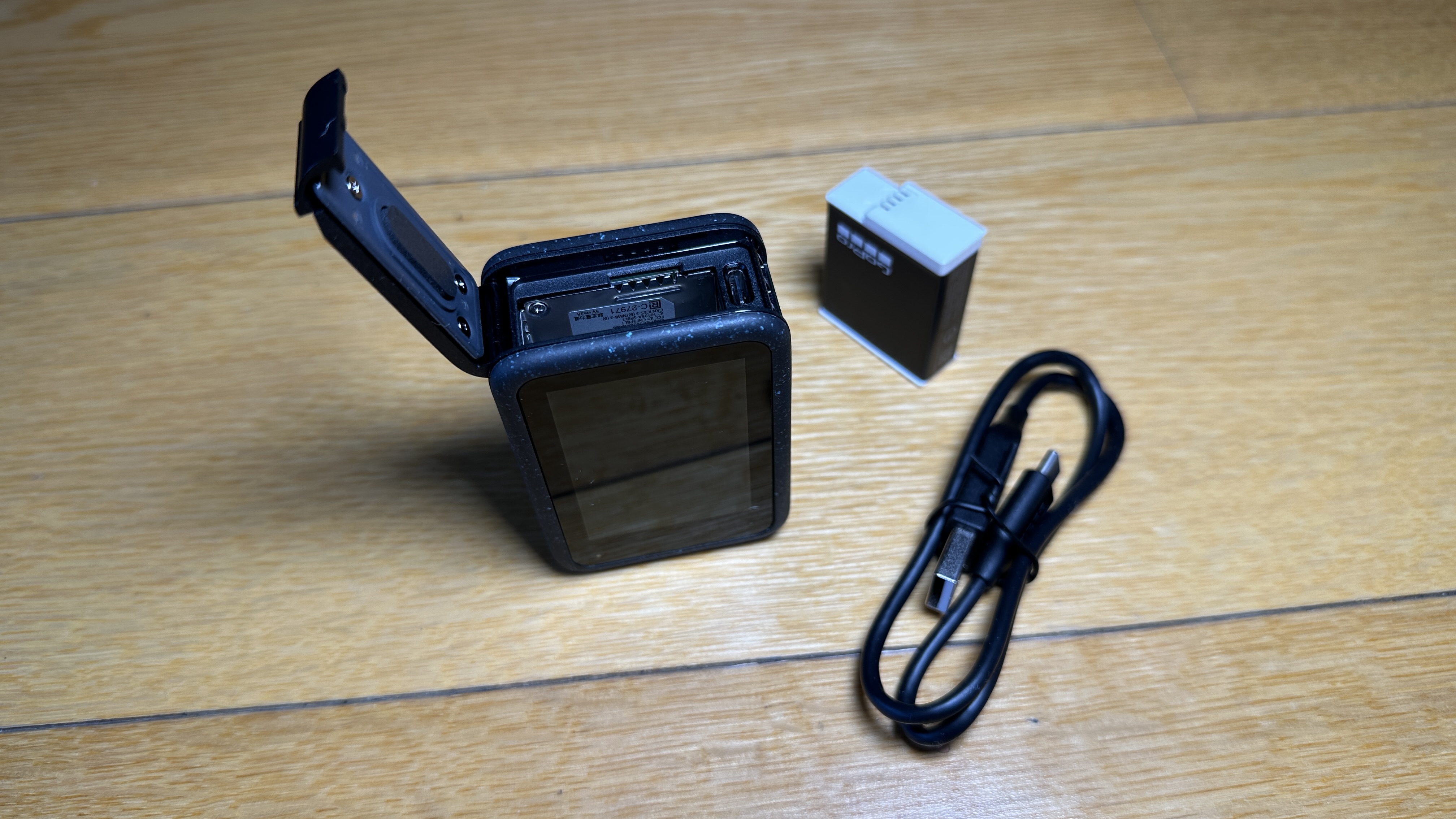
Perhaps the only slight disappointment with the GoPro HERO12 Black is that yes, once again, it looks pretty much identical to last year's model - well, other than the fact it's no longer completely black. It now features a groovy speckled pattern on the front, rear and control buttons. I really like the look because it gives the appearance you've already dropped it in the mud/snow/sand/ocean before you even take it out of it's very-disposable box.

The HERO12 still features dual LCD screens both back and front so you can see you're definitely in shot when shooting selfies.

However, 2023 does see GoPro introduce one small but significant add-on to the outside of the device; a 1/4-inch screw mount on the base. This has been cleverly dropped in between the trademark GoPro mounting fingers because sensibly, after only a decade or so, the designers have conceded most non-GoPro tripods, mounting brackets and other accessories all use 1/4-inch threads as standard. Nice one.

In fact, many of this year's upgrades follow a similar theme; keep it simple, give them what they want.

For example, the HERO12 now records for up to two times longer - and that's using the same cold-weather Enduro battery as last year. They've just worked out how to make the camera run more efficiently.

You want an even wider field-of-view? Sure thing. The new Max Lens Mod 2.0 accessory offers 177 degrees. Pretty crazy.

Thanks in part to GoPro's recent change to an 8:7 aspect ratio, it's now possible to shoot in portrait, even when the camera's mounted horizontally - meaning any pics or footage can be shared to phone-shaped socials straight away.

The new HDR video protocol means an even greater level of detail and colour accuracy. This is so crucial because a lot of action shots happen in super-bright conditions - too much sunlight reflecting off water or snow can really blow out an otherwise perfect shot. HDR helps figure a lot of that stuff out.

Something even more ingenious than the 1/4-inch mounting thread is the new ability to pair your bluetooth headphones or earbuds with the HERO12. It only takes about 3 seconds yet means you can then use the built-in mic on your earbuds instead of the one on the GoPro. This is massive - now you can mount your camera somewhere noisy - like the outside of your car - while recording a totally audible VO from inside. So good.

Existing shooting modes like Light Trails and Duration Capture have been further enhanced and as we saw last year with the incredible 5.3K footage, even stills captured from the video (either while shooting or after) look unbelievable.

In fact, you can see some shots like those in this video I took while in Rarotonga last week.

I need to point out I didn't edit this video myself. I just pressed record a few times and then the videos auto-uploaded to the cloud when I got back to my room and put the camera on to charge.

Next time I opened the Quik app on my phone, here's what was waiting for me...


I didn't choose the shots, the music, the transition effects - none of it. That's all completely A.I. generated and instantly shareable.

The Quik app just seems to go from strength to strength - it's hard to fathom how powerful an editing tool it is, right there on my phone. I can't wait fo the desktop version to be released in the coming months; if it's anything as good as the phone app, it may well become my primary video editor.

As you can tell, although the HERO12 still looks the same, all these sensible, thoughtful upgrades make for a significant leap forward in the evolution of the GoPro - yet it only costs NZ$749.99. As I said earlier, what other device offers this much functionality for such a low price?

TimeCode Sync is yet another "make-your-life-easier" idea. Using the Quik app on your phone you can bring up a unique QR code you simply "show" to each camera to make post-action editing so much more precise. Unfortunately, this only works on the HERO12 so I wasn't able to try it out with my latest Extreme Dog-Walking video. This is a real shame as I wanted to trial the Fetch dog harness on Jerry and Chesty camera harness on me to show him wearing it. That meant a three-camera shoot which is a lot of footage to try and syc up when it comes to editing time.

But perhaps the real star of the new edition of Extreme Dog-Walking is the latest HyperSmooth 6.0 video stabilisation. If you thought GoPro footage was already incredibly smooth, wait till you see these shots taken from the back of my dog...


Click here for more information and pricing on the GoPro HERO12 Black.

Monday, 25 September 2023

Ninebot Kickscooter E2 Plus - Swings and Roundabouts

I have a love/hate relationship with scooters.

Many years ago I fell off a push-scooter on my way to work when I misjudged the weather conditions and the impact a bit of mud on the footpath would have on my high-speed cornering ability. This resulted in a dislocated right shoulder and the end of my short-lived stint as a scooter-commuter.

Fast-forward to the present day and wouldn't you just know it? I'm currently recovering from another shoulder injury - this time a broken left shoulder. Again the result of a muddy footpath but no scooter involved this time; just an uncoordinated old geezer slipping over in the wet.

It takes a long time to recover from smashing your humerus into four bits, so it was with some ironic trepidation I took delivery of an eScooter for review just a few days after my visit to the emergency room. Obviously, I wouldn't be able to do it much justice with my arm in a sling so it sat in its carton, just taunting me, for weeks on end.

Finally, after many physio sessions and a series of consultations with my orthopaedic specialist, I decided it was time to take the plunge and open the box.


The Ninebot Kickscooter E2 Plus powered by Segway is easy to assemble; it's pretty much just a matter of inserting the handlebar column into its housing and tightening a couple of bolts with the included Allen key.

I was immediately impressed by how solid, durable and generally well-designed the Kickscooter E2 Plus is - from the compact yet reliable kickstand right up to the robust handbrake and warning bell, every component in between seems built to last.

The black and grey colour scheme isn't exactly head-turning but it's not over-the-top either. In saying that, you have the option of making more of a visual impact by adjusting the lighting effect via the Ninebot companion app - but we'll come to that shortly.

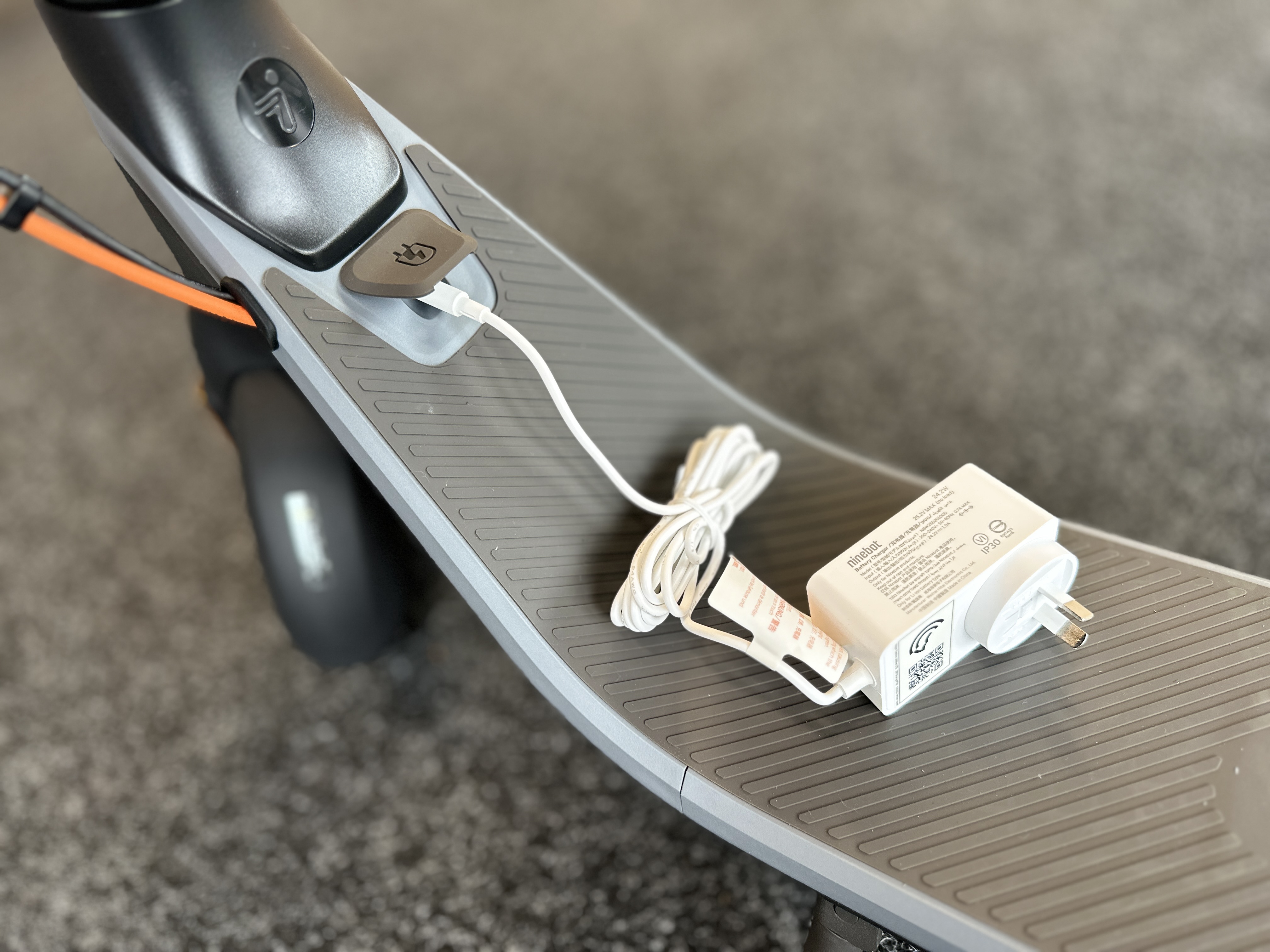
First, let's make sure the 220Wh battery is fully charged. I was surprised to discover the charging brick is very compact - no bigger than the power adapter for most other appliances. That means it's also light and easy to carry with you for a top-up charge at your destination if required. However, charging time is not particularly snappy - around 7.5 hours for a full juice-up. That should get you about 25kms though, so I imagine it'd be rare for most users to have to charge more than a couple of times a week.

Further setup - including firmware upgrades - happens via the aforementioned app and a very full-featured app it is too. Here you can name and register your scooter, lock and unlock it and access some more specific functions not adjustable on the scooter itself.

For example, the Kickscooter E2 Plus can be set to automatically enter "Cruise Control" when travelling a constant speed for five seconds or more, meaning you no longer have to hold the throttle down until you brake. There's also an Energy Saving function to retrieve kinetic energy from braking to help conserve battery life.

Speaking of braking, it's smooth and reliable thanks to the twin form-factor; an electronic front brake combined with a rear drum brake.

The wheels are fairly large and feature 8.1-inch Inner Hollow tyres - meaning they're puncture-proof but also that they're quite hard. This makes for a pretty bumpy ride, especially given there's no other form of suspension to cushion the impact of curbs and cobblestones on my poor, embattled shoulders. This is a genuine downside to the design of the Kickscooter E2 Plus and I would steer you away if you're considering using it on anything but smooth footpaths and cycleways.

The LED dashboard in the centre of the handlebars is clear and simple - like me. It shows your speed, remaining battery and what riding mode you're in; Walking, Driving or Sports. Obviously, Sports mode offers a bit more speed and power at the cost of a certain amount of battery life.

The top speed is supposed to be about 25km/h - which I rarely achieved mostly due to avoiding pedestrians and encountering hilly terrain. This is the Kickscooter's other major downfall; when I say "hilly terrain" I don't mean particularly hilly. Anything over a 12% incline and this eScooter becomes a push scooter again - especially given I'm hovering around (or perhaps just over) the recommended maximum driver weight of 90kg. On my first ride, I was quickly disappointed to discover I couldn't even get around my block under full-electric power because there were a few short hills along the way.

The only other major drawback I encountered was moving the scooter around when I wasn't actually riding it. You'll see me struggling to carry it down steps in the video below. Unfortunately, I filmed this before I realised there is in fact a way to lock the Ninebot Kickscooter E2 Plus in its folded position and it's quite clever - once you know how to do it. 

There's a small hook on the rear mudguard which fits into the spring-loaded trigger of the bell on the left handlebar. If all else fails, read the instructions I guess. At over 15kg, the scooter is still fairly heavy - especially for younger riders - but folded down it fit easily into the boot of my little hatchback.

The scooter is rated IPX4 for water resistance and the battery IPX6 - still, given my painful history with wet footpaths I'm not sure I'm ready for any rainy excursions just yet.

However, the rest of the time I've found the Ninebot Kickscooter E2 Plus to be a useful way to cover short distances a lot quicker than I would by foot. It's a very well-manufactured piece of kit and feels extremely solid, if not particularly speedy or powerful. It has good safety features like bright head and taillights as well as side reflectors. The companion app is also quite straightforward, yet full of features and even offers the ability to record and share aerial videos of your rides courtesy of Google Earth.

It's a very tidy package and at just under NZ$700.00, I think it's pretty good value for money, despite its limitations.


Click here for more information and pricing on the Ninebot Kickscooter E2 Plus.

Tuesday, 29 August 2023

Samsung Galaxy Watch6 Classic - The Bezel's Back, Baby!

At the risk of sounding like a complete nerd, I've been wearing Samsung smartwatches for years.

As I often tell people - and this really exacerbates the nerd thing - when it came to the introduction and mass-marketing of smartwatches, Samsung definitely led the way.

Now, in very much the same way as phones have, the development of the smartwatch has plateaued somewhat. Recently, the new model hasn't necessarily been all that different from the previous year's offering - and this isn't peculiar to Samsung, I'm talking across the board.

However, as I always say; Just because things haven't changed much, doesn't mean it's not still one of the best pieces of tech available.

And that's never been more true for Samsung's 2023 smartwatch range.


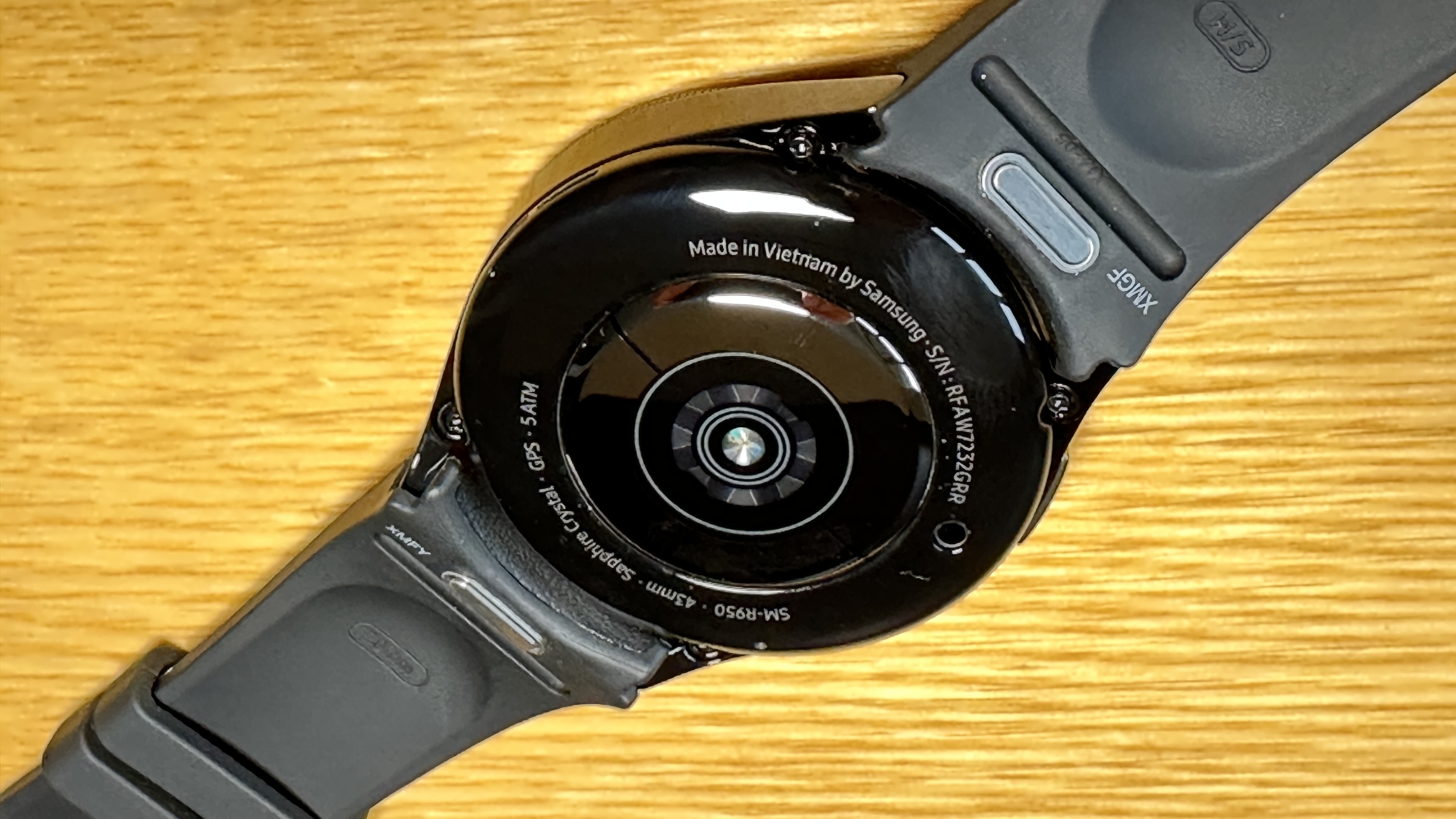
I've been sent the Galaxy Watch6 Classic in black (it also comes in silver) and interestingly, the 43mm model instead of the 47mm one. Now whether the person who sent it to me thinks I've got particularly delicate wrists, I'm not sure - but luckily the Hybrid Eco-Leather band just fits and I've been able to test the Watch6 Classic over the last week or so.

There's actually a surprising amount of stuff to unpack in that previous paragraph - starting with the size of the watch itself. Although most years Samsung releases its watches in two sizes, I've always thought the smaller size really was too little for me. This isn't me going off on some misguided attempt to assert my manliness by trying to convince you I have uber-masculine arms of steel. It's just an aesthetic thing; a bigger watch face seems to look better on me.

However, this year Samsung has managed to enlarge the display, so proportionally you get more screen real estate which creates an illusion of a larger watch.

Secondly, there's the return of the "Classic" moniker - this was missing last year and it simply indicates the physical rotating bezel is back. Most Samsung smartwatch fans (like me) were utterly mystified by the decision to get rid of this feature in 2022. For several generations this rotating controller was the very thing that set Samsung watches apart from the pack. Users weren't limited to screen swipes and button pushes to navigate their way around - widget tiles could be selected, lists and messages scrolled through, timers and alarms set - all using the intuitive rotating bezel.

The rotating gesture became a virtual, on-screen version on the non-bezel models but a fat lot of good that'll do you in the shower or the pool. So yes, I'm stoked to see the bezel has made a comeback and what's more, it's slimmer than ever, making the Watch6 Classic seem just that much more elegant.

Which brings us to another upgrade, the Hybrid Eco-Leather band. I really have no idea what Hybrid Eco-Leather is but it looks like leather, which is good. More importantly, you can get it wet, which is even better. If you've ever made the mistake of swimming or exercising wearing a watch with a leather strap, you'll know things get pretty gross, pretty quick. Not the case here.

But the big band news here is Samsung has come up with a whole new one-touch quick release mechanism. To be honest, I never found that little spring-loaded lever thing on the previous bands all that taxing to slide across when swapping out various straps but I have to admit, the new system is a complete doddle. Oh - and don't worry if you've built up a collection of bands for your previous Galaxy Watch - they'll still fit too.

The other major modification in 2023 is under the hood. The CPU has been upgraded which is just as well. Not only are you likely to be pushing the Watch6 Classic to perform more complicated tasks than ever before but a more efficient chip means battery savings - something to bear in mind given the larger display.

And yes, I've found operating the Watch6 Classic to be a very smooth experience and while I haven't been blown away by the battery life, it lasts a day easily - even using Always On Display - and charges nice and quickly.

In terms of tracking and sensors, I don't think I've encountered another device that can monitor quite as many metrics as this watch does. Exactly how accurate things like heart rate and distance travelled are will always vary from device to device but I always think what's more important is consistent results; as long as my regular route records the same way every time I run it, it's not super important if the distance is being measured to the exact metre.

Recent updates to both Samsung's sensor technology and the Wear OS software experience mean you can track more vitals than ever - now checking for irregular heart rhythms is easy and you can even calibrate the watch with a blood-pressure cuff to keep an eye on your BP too.

Samsung has also done something to improve the NFC performance on the Watch6 Classic - I never have any issues with contactless payments via Google Wallet whereas it was always a bit hit and miss on previous models and often ended up being more of a time-waster than a time-saver.

Wear OS seems to be slowly coming of age as a wearable operating system; initially app availability was more limited than I had expected but now there's not much I can't do with the Watch6 Classic - even my favourite podcasting app, Pocket Casts, now has a Wear OS version - although oddly it's subscription-only - unlike the phone app itself.

There are other fun tools too - Camera Controller not only gives you remote access to your phone's camera but even shows a preview of your pic on the watch face. And sleep tracking - which has always been a strong point for Galaxy Watches - has become even more in-depth. Using the Watch6 Classic I can monitor my blood oxygen levels, skin temperature and in tandem with my Galaxy phone, even my snoring. Turns out, I snored for 1 hour and 54 minutes last night. How lucky is my wife, eh?

I can't deny that if you take a quick look at the Watch6 Classic, you might be hard-pushed to differentiate it from the previous Samsung smartwatches of the last couple of years. But look closer and you'll discover, as I've outlined here, there have been quite a few little tweaks and upgrades, the sum of which result in a great-looking, durable watch that's about as versatile as it possibly can be.


Click here for more information and pricing on the Samsung Galaxy Watch6 Classic.

Thursday, 24 August 2023

Nespresso Vertuo Creatista - In Search of a Genuine Double-Shot

I have never bought into the capsule coffee hype.

I know George Clooney is a very cool, good-looking guy but it takes more than that to influence me. In fact, if you want me to use your coffee machine, I'd prefer it just makes good coffee.

I've definitely been impressed with some of the technology Nespresso has brought to the table - there's no denying how quick, easy and mess-free it's always been, even from day one. 

It was also a Nespresso machine that introduced me to automatic milk frothing at home - eliminating the frustratingly hit-and-miss nature of manually steaming your own milk with a wand and a jug.

And yet, I rarely achieved the full-flavoured, strong, hot coffee I was looking for. Like any self-respecting New Zealand caffeine addict, I wanted it like I get it at the cafe; a big latte in a mug - or even a bowl.

Until now, I've never had anything like that from a capsule. Until now.

The Vertuo Creatista is a whole new kind of machine for Nespresso, claiming to cater specifically to Kiwi consumers and their tendency to prefer larger, stronger, milkier coffees.

If you've ever travelled overseas you'll know it's virtually impossible to order our infamous "Flat White" (except perhaps in Australia). In fact, I know people who've tried to explain what a flat white is, only to be presented with a neverending selection of poor imitations or even worse, thrown out of the cafe.

Now Nespresso's Vertuo machines introduce a Coffee Creations mode; double-clicking the coffee button results in a more concentrated extraction, leaving plenty of space for milk without diluting the desired effect from the caffeine.


The Vertuo Creatista takes this to genuine cafe-level heights, as the machine sports its own steam wand - not an automatic frothing tank the likes of which I've used in the past. I was nervous about this design at first; in many ways, the Creatista looks like a "traditional" espresso machine. The stainless steel finish is quite timeless - although it does require a bit of maintenance to keep it smudge and fingerprint-free. There's no flashy electronic screen and the steam wand and metal milk jug look just like any other.

Initially.

However, as I soon discovered, this is no ordinary steam wand, it's actually automatic after all - fantastic news as I can only be trusted to steam my own milk correctly about once in every three attempts. Conversely, the Vertuo Creatista gets it right every time and that's what I want more than anything; consistency.

What's more, not only are there three different settings for texture but there are also three settings for heat; yes, this is the first home espresso machine I've used that automatically produces hot - actually hot - frothy milk. That's worth the purchase price on its own.

But then we come back to the capsule side of the equation, which as I mentioned earlier, has also been revamped - quite dramatically. The Vertuo pods are a totally different shape to the original Nespresso pods - five different shapes, in fact.

There are a number of reasons for this - and not just the fact bigger pods mean more coffee - although that's definitely part of it for some of the brews. The range is quite impressive, from quite traditional espresso blends of varying intensities through to vanilla, chocolate and even fruity or nutty flavours if that's your thing. 

Or you can try the Craft Brew selection - the result here could be a simple cold brew or a carafe pour-over. Yes, you read that right; an entire carafe of coffee from a single extraction. Admittedly these XXXXL pods are only seven to a sleeve (as opposed to the usual ten) but at most that still works out to just $2.35 a capsule. I think that bears repeating; a carafe of coffee for under $2.50. You may never go to a cafe again.

But only if it's any good, right?

Most of the other pods work out to between $1.05-$1.55 a capsule. I've done some rough arithmetic on this and even when my favourite beans are on special at the supermarket, I'm pretty sure going with the Nespresso option works out about the same if not slightly cheaper.

But again though, only if it's good.

Well let me put it this way; I just finished a bowl latte while writing this review. Here's how I made it. I extracted a single pod of Bianco Forte into my favourite bowl. I then frothed a jug of milk to top it up. That's two button-presses. (I didn't need to adjust the milk temperature or texture or it would have been a whole four button-presses).

The result was strong. It was hot - all the way through. The milk was velvety - not bubbly. And I got a whole bowl from just one pod.

Best of all, I know that if I want the same thing tomorrow morning it really will be the same. Exactly the same. Every time.

Bliss.

Obviously, it took a little experimentation to get to this point but the learning curve with the Vertuo Creatista is not arduous. In fact, the other three members of my household mastered this machine within a day or two of it arriving in the house. I just sent them a link to Nespresso's introductory video and they did the rest. And then proceeded to tell me how amazing the results were and how easy it was to use. I've never had that kind of universal appreciation for any other gadget I've brought home. Never.

Even setting up this machine is a doddle - just download the app and follow the step-by-step instructions to do things like pre-rinse, test your water hardness and connect to the Wi-Fi. This last step is crucial because unless you keep the Vertuo Creatista up to date, it may not recognise which capsule you're using.

Oh, didn't I mention that part? This machine is so smart, it reads the barcode on the underside of every pod and customises the extraction accordingly. Again, just like with the milk, take my judgement out of the equation and I'm far more likely to get a consistent brew every time.

It's been a while since I seriously tried the capsule coffee thing. I'd given up on it as all too often the results were weak and watery - usually requiring at least two capsules to achieve a robust, long cup of full-flavoured coffee. Admittedly, the system has always been fast and efficient but I always ended up reverting to beans for a more authentic taste.

After the bowl I chugged down this morning I've realised I'm now officially a capsule convert. A pod-person. And this time I don't see any reason to go back.


Click here for more information and pricing on the Nespresso Vertuo Creatista.

Thursday, 17 August 2023

HP Smart Tank 7305 - Fill Your Own Without the Mess

 A printer is a printer is a printer and certain rules will always apply.

- You'll always be out of paper when you go to print.

- Your device won't be able to find your printer on the network... even though you only just printed something yesterday.

- And cartridges are not only super expensive but they're also terrible for the planet.

Well, those used to be the rules anyway.

Admittedly, that first one - about the paper - that's not really the printer's fault. It's your job to make sure you have plenty of paper. That hasn't changed.

However, as far as improving connectivity and sustainability goes, HP has certainly been making some changes.


The latest 5000-series Smart Tank printers from HP combine every great feature I've come to appreciate about other recent HP all-in-ones and introduces the most welcome innovation of all; an end to the constant cartridge crisis most home users find themselves in.

In many ways, the Smart Tank 7305 looks pretty much the same as my previous HP printer; similar paper feed drawer below. Simple row of controls on top. Auto document feeder above while relatively compact with a modern, two-tone colour scheme.

But this time setup was dramatically different.

While logging into the HP Smart app (or creating an account and then logging in) is still the first step, once you've powered up the Smart Tank 7305 the next step is to fill each of the four ink tanks - black, yellow, magenta and cyan - using the ink containers included in the box.

Do not let this put you off choosing one of HP's Smart Tank printers.

Thanks to some absolutely brilliant design, the process of filling the tanks is virtually foolproof and I didn't spill a single drop, even though I'd never used this system before. I have filled other ink tanks and it's always been a minor disaster, at the very least resulting in ink-smeared fingertips, at the worst permanently staining surfaces that should definitely not be stained. This experience couldn't be more of a contrast. Not only are the Original HP Ink containers ingeniously engineered to clip onto the top of their corresponding tanks upside down, held securely in place while they automatically drain themselves, the caps also clip firmly back on for mess-free disposal - and by disposal I mean recycling.

While he entire printer itself made from at least 45% post-consumer recycled materials, the Original HP Ink bottles are also recyclable through the HP Planet Partner program. This is a win-win situation. Think about it; traditional inkjet cartridges - especially "tricolour" ones - are complicated devices in themselves, made from many different materials. They must be very difficult to repurpose and you're forced to replace the tricolour cartridge when only one of the three colours runs out.

Wasteful and expensive.

Alternatively, with HP's Smart Tank system, although you still have just two printheads - one black and one colour - there's a separate tank for each colour, meaning you only need to replace exactly what you use.

Cheaper and much more environmentally-friendly.

Another common frustration when unboxing a new printer is you often find it ships with lower-than-usual capacity ink cartridges, meaning you'll have to fork out for replacements all too soon after the initial setup. That certainly isn't the case with the Smart tank 7305. With up to 8000 colour or 6000 black pages of Original HP Ink included in the box, you literally start saving on ink the moment you start printing. Depending on your usage it might be years before you need to purchase a refill.

Once the tanks are full, the printheads are in place and you've connected to your Wi-Fi network, the Smart Tank 7305 is good to go - at this point functioning like any other HP inkjet, all-in-one home printer.

Scanning and printing from any device connected to your network is fast and reliable - as I mentioned earlier, the 7305 sports self-healing Wi-Fi technology and in my experience this really does mean an end to your paired printer mysteriously disappearing from your network when you need it most.

One minor feature I miss on this model is the dual-size paper drawer I've enjoyed on previous printers, allowing for A4 paper and smaller, photo quality paper to be loaded simultaneously. It's not a massive imposition but having to remove all your A4 to print one or two photos is a bit of a pain.

In saying that, in terms of print quality I've found the results to be excellent - at least as good as any other standard HP inkjet printer I've tested, if not even better. Whether printing the PDF from IRD to change my tax code or simply running off a glossy print of my cute dog, I've been very satisfied with the results - and not just the way they look but how quietly the Smart Tank 7305 runs and how fast it prints. 

Ultimately, you're getting a much more economical and a significantly more environmentally-conscious printing solution for your home or small business with absolutely no compromise in quality - it's an undeniable formula that's pretty much impossible to ignore.


Click here for more information and pricing on the HP Smart Tank 7305 all-in-one printer.